![logo-1.svg]](https://help.carpages.ca/hubfs/logo-1.svg)
Video Guide and Steps Below
For a step-by-step walkthrough, see How to Create a Cruise Control Rule. New to Cruise Control? Start with Cruise Control Overview - Automate Your Inventory with Rules.
Criteria Types
Criteria are the conditions a vehicle must meet. All criteria on a rule must be true for the rule's actions to apply.
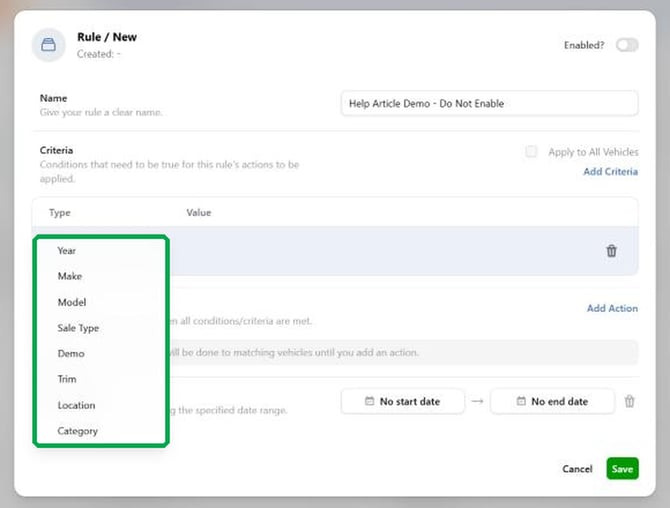
-
Year: Vehicle model year.
-
Make: Vehicle make.
-
Model: Vehicle model.
-
Sale Type: New or Used.
-
Demo: Demo vehicles.
-
Trim: Vehicle trim.
-
Location: Dealer location, for dealers with more than one.
-
Category: Vehicle category.
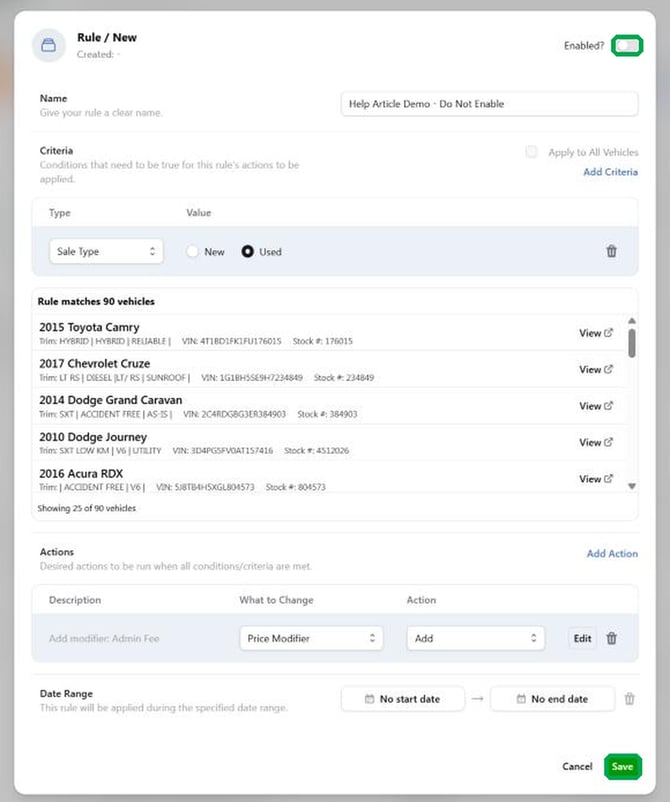
The rule window shows how many vehicles match, so you can confirm your criteria before saving.
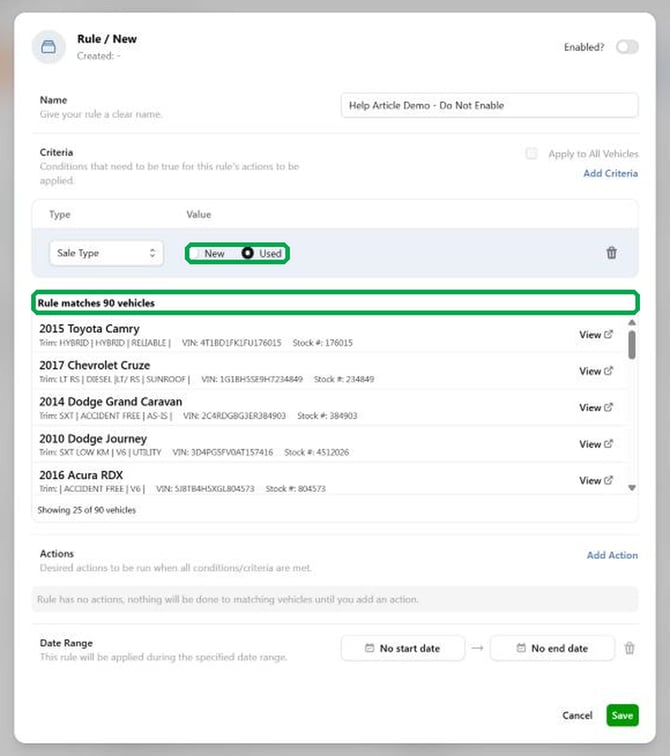
No criteria? A rule with no criteria does not apply to any vehicle unless Apply to All Vehicles is ticked.
Actions
-
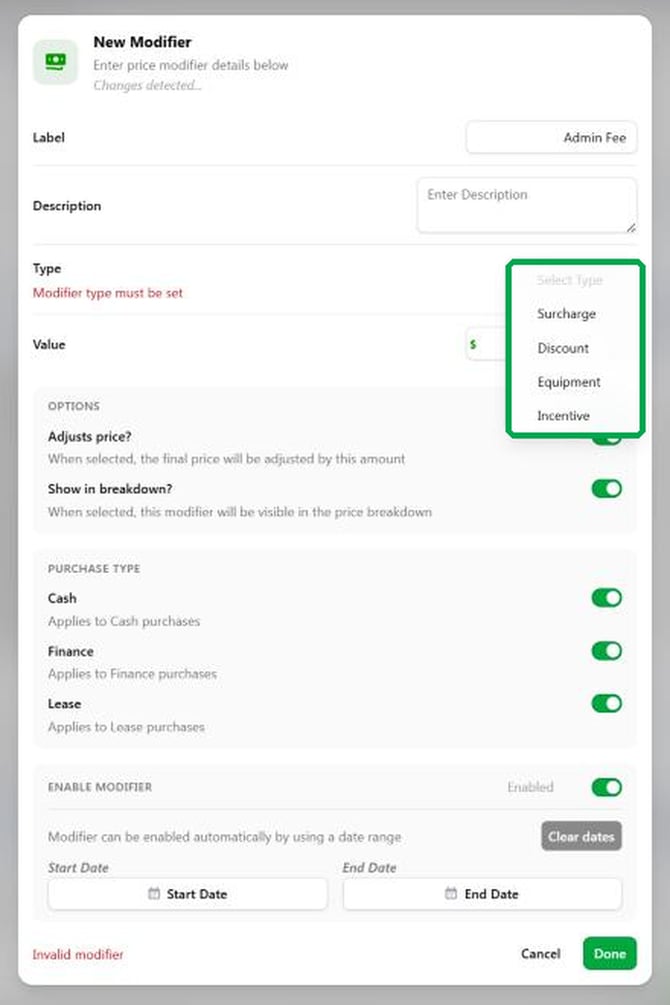
Price Modifier: adds a labelled amount to the vehicle's price breakdown. Use it for admin fees, discounts and similar. Choose Price Modifier under What to Change, then Add under Action, and click Configure.
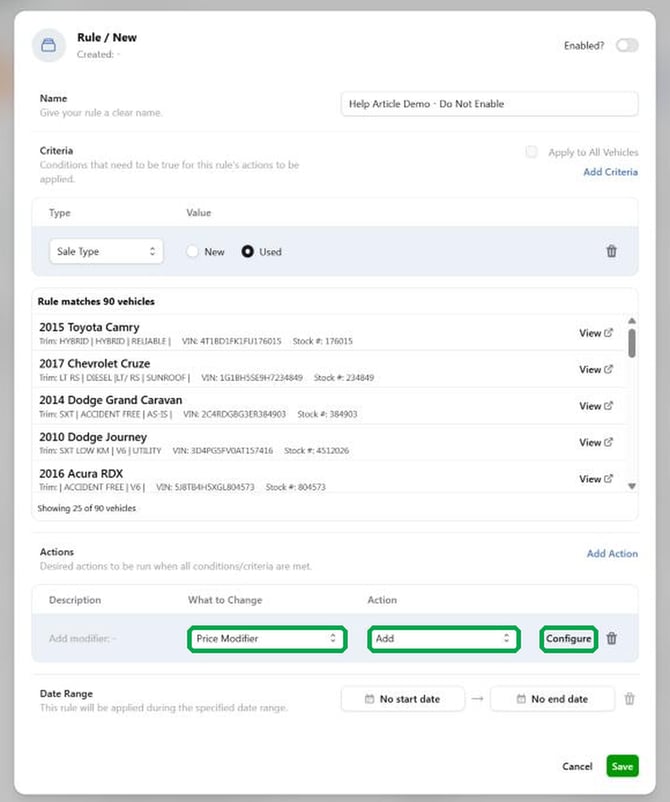
Price Modifier Settings
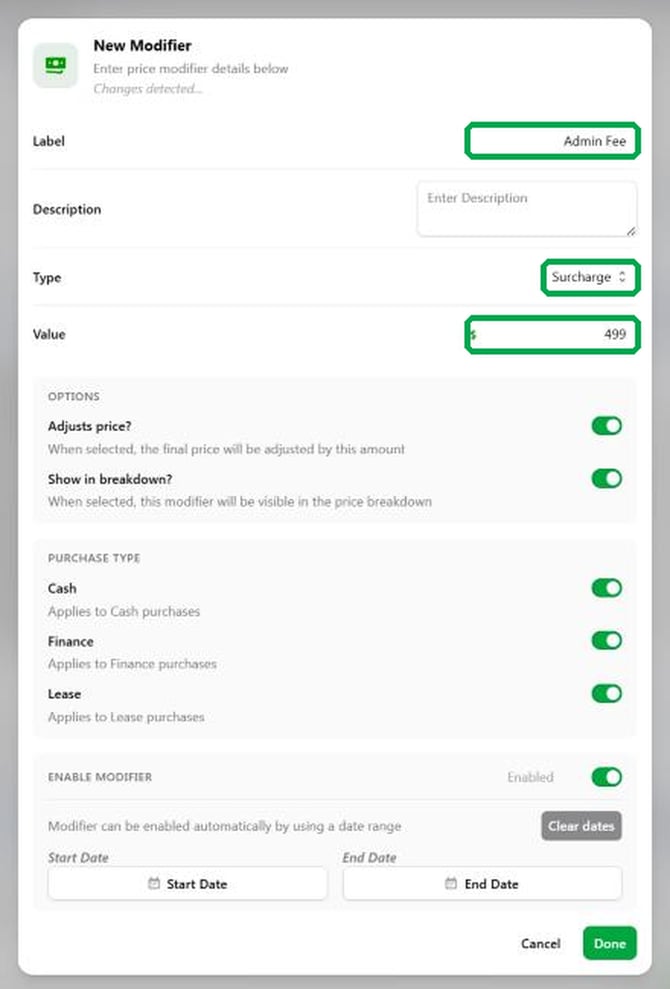
-
Label: The name shown for the modifier. Required.
-
Description: Optional note.
-
Type: Surcharge, Discount, Equipment or Incentive. Required.
-
Value: Dollar amount. Required, and must be a number.
-
Adjusts price?: When on, the final price is changed by this amount.
-
Show in breakdown?: When on, the modifier is visible in the price breakdown.
-
Purchase type: Cash, Finance and Lease can each be switched on or off, so a modifier can apply to only some purchase types.
-
Enable modifier: Turns the modifier on or off, with an optional start and end date so it can switch on and off automatically. Use Clear dates to remove the dates.
Rule-Level Settings
-
Enabled?: switches the whole rule on or off.
-
Apply to All Vehicles: applies the rule to every vehicle instead of only those matching criteria.
-
Date Range: an optional start and end date for the whole rule.
Should you have any questions or concerns, please email support@carpages.ca or call 1-866-567-2437.
Related Articles
-
Cruise Control Overview - Automate Your Inventory with Rules
-
How to use the MarketPulse Vehicle Pricing Tool within Dashboard Connect