![logo-1.svg]](https://help.carpages.ca/hubfs/logo-1.svg)
Video Guide and Steps Below
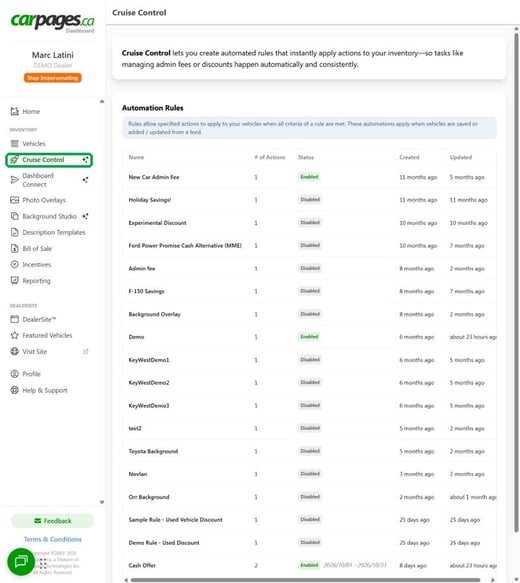
Cruise Control lives in your Dealer Dashboard underInventory > Cruise Control. A rule applies its actions to every vehicle that meets all of the rule's criteria. Rules run when vehicles are saved, or added or updated from a feed.
Not signed in yet? See How to Sign in to Dealer Dashboard.
How Cruise Control Works
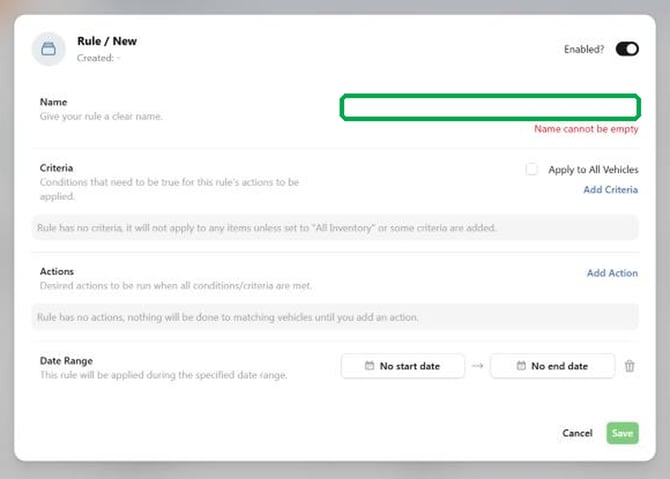
- Rule: a named set of criteria, one or more actions, and an optional date range. Each rule has an Enabled? toggle so you can switch it on or off.
- Criteria: the conditions a vehicle must meet. All criteria on a rule must be true for the actions to apply. A rule with no criteria does not apply to any vehicle unless Apply to All Vehicles is ticked.
- Actions: what the rule does to matching vehicles. For example, a Price Modifier can add an admin fee or a discount to the price breakdown.
- Date range: an optional start and end date. The rule only applies during that window. With no dates set, the rule applies whenever it is enabled.
The Rules List
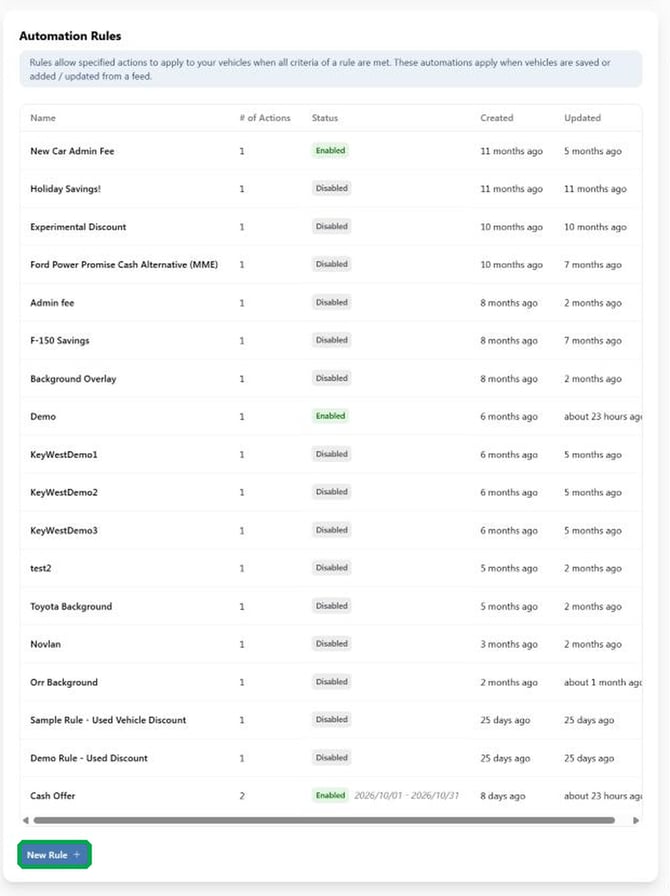
The main Cruise Control screen lists every rule with its number of actions, its status (Enabled or Disabled), and when it was created and last updated. Click a rule to open and edit it. Click New Rule below the list to build a new one.
What a Rule Looks Like
 👉 Tip: A rule that matches vehicles and has a price modifier changes live prices once it is enabled and saved. Review your rule carefully before you save it.
Where to Go Next
-
How to Create a Cruise Control Rule: a step-by-step walkthrough.
- Cruise Control Reference: Criteria, Actions and Price Modifier Settings: every criteria type, action and modifier setting explained.
- Cruise Control Tips and Troubleshooting: naming tips and fixes for common issues.
FAQs
Can I switch a rule off without deleting it?
Yes. Use the Enabled? toggle on the rule. Keeping a rule disabled is a good option for seasonal promotions you may want again.
Can I limit a rule to a period of time, like a holiday sale?
Yes. Set a start and end date in the rule's Date Range. See How to Create a Cruise Control Rule.
Can Carpages set up a rule for me?
Yes. Email support@carpages.ca and let us know what you would like the rule to do.
Should you have any questions or concerns, please email support@carpages.ca or call 1-866-567-2437.